
How it works: build a website with AI in a few minutes
Building a site with WebDevExtension takes four steps and no technical setup. This guide covers each step, shows what to include in your prompt, and explains how to turn the first draft into a website you are proud to publish.
The four steps
All four fit comfortably into one sitting. The part worth spending time on is deciding what you want the site to say.
-
Create your account and install the extension
Create your WebDevExtension account, then follow the instructions on the extension download page to add the builder to your browser. Pin the icon to your toolbar so the builder is always one click away.
Already have an account? Sign in and you will be taken straight to the extension download page.
-
Open the builder panel
Click the WebDevExtension icon in the toolbar. The builder panel opens beside your current tab and asks a single question: what website do you want to build?
-
Describe the website you want
Type a description in your own words. Mention what the site is for, who will visit it, the pages you need, and the look you are after. The more context you give, the closer the first draft lands.
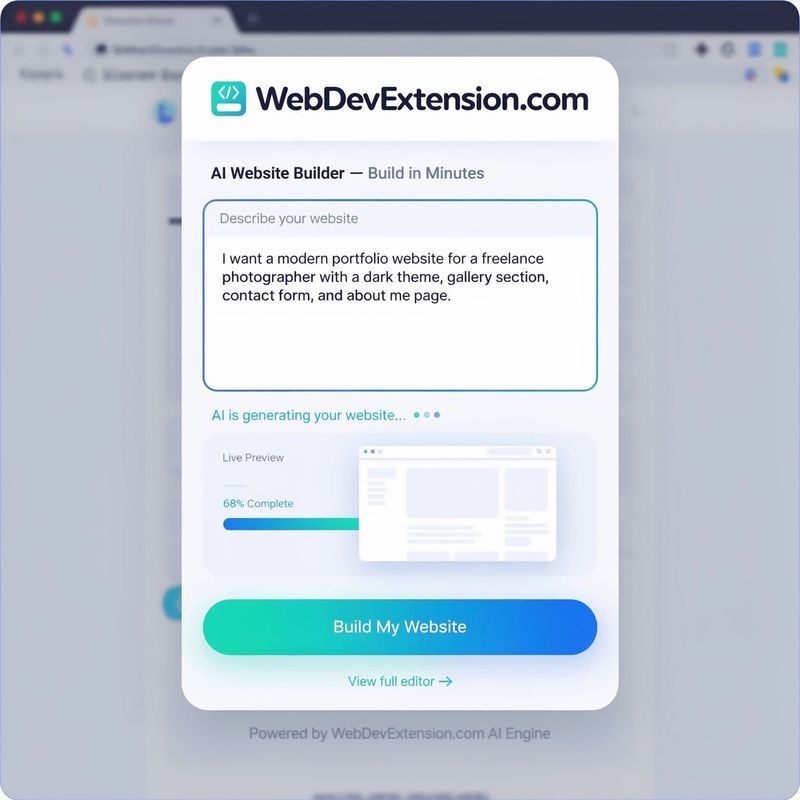
The prompt box: describe the site, then follow the progress as the AI builds it. -
Review the preview, refine it, and publish
A progress bar tracks the build while the AI generates your pages. When the draft appears, explore it in the live preview, adjust styles or text in the editor, and publish once you are happy with it.

How to write a prompt that gets a great first draft
The AI can only use what you tell it. Five kinds of detail make the biggest difference to the result.
- Say what the site is for. “A website for my yoga studio” gives the AI a purpose to design around; “a website” leaves it guessing.
- Name your audience. New customers, clients comparing agencies, or recruiters all need different words, so mention who will visit.
- List the pages and sections. Spell out the must-haves, such as a gallery, a price list, opening hours, or a contact form.
- Describe the look and tone. Words like minimal, warm, bold, playful, or formal steer the colors, fonts, and writing style.
- Add real details. Your business name, location, and services make the draft feel like yours from the very first view.
An example prompt that works well
“Build a website for Harbor & Pine, a family-run coffee roaster. Visitors are local coffee lovers and cafés looking for wholesale beans. I need a homepage, a page listing our coffees, an about page telling our story, and a contact page with a wholesale inquiry form. Earthy colors, a clean layout, and a friendly tone.”
Notice how that request covers purpose, audience, pages, style, and specifics in five sentences. You don’t need more than that to get a useful result.
What to do after the first draft
Treat the first draft as a strong starting point. Read every page the way a visitor would, then rewrite headlines that don’t sound like you, replace sample images with your own photos, and adjust the color palette until it matches your brand.
Expect a round or two of edits before you publish. That is normal, and it is still far quicker than designing every page from nothing. If you want to know exactly which controls are available while you edit, the full feature overview walks through them one by one.
If the result isn’t what you expected
Look for the detail that was missing from your description. A site that feels too generic usually came from a short prompt, so add your audience, your services, or a few words about style and build again.
Change one thing at a time. Small, specific requests such as “make the homepage headline shorter” are easier to judge than rewriting the entire brief, and they keep the parts you already like.
Use the styles panel for visual changes. Colors, fonts, and spacing are faster to adjust there than through a new prompt, and the change applies to every page at once.
Try it with your own idea
You already know what your website needs to say. Create an account, install the extension, and let the AI handle the build while you focus on the details that matter.